How many different ways have you moved Business Central data into a data lake over the last five years? Be honest about the ones you would rather never maintain again.
I have seen most of them. Power BI reports pulling straight from API pages. Azure Data Factory pipelines calling OData endpoints on a schedule. bc2adls exporting deltas into a lake and a notebook stitching them back together. The odd custom job that wrote CSV files to blob storage and quietly broke when someone added a field.
Every one of those patterns worked. Every one of them had a cost that never appeared in the proposal.
With 2026 release wave 2, Microsoft has shipped a native integration that mirrors Business Central tables directly into Microsoft Fabric. It is available now as a production-ready preview, and on my 29.1 sandbox the Business Central Mirroring to Fabric app was already installed and waiting.
This is the first of two posts on the feature, with a hands-on setup walkthrough in between. They split cleanly:
- Part 1 (this post): what the integration is, how the data actually moves, what it costs, and the constraints worth knowing before you plan anything.
- The hands-on setup: setting it up screen by screen, from an empty Fabric workspace to tables replicating in OneLake.
- Part 2: running it. The Power BI apps on Fabric, the two kinds of monitoring logs, permissions, and the operational habits I would put in place.
If you only want the clicks, skip to the hands-on walkthrough, which has a screenshot of every step. If you want to explain this to a customer’s IT lead without hand-waving, start here.
The change in one paragraph
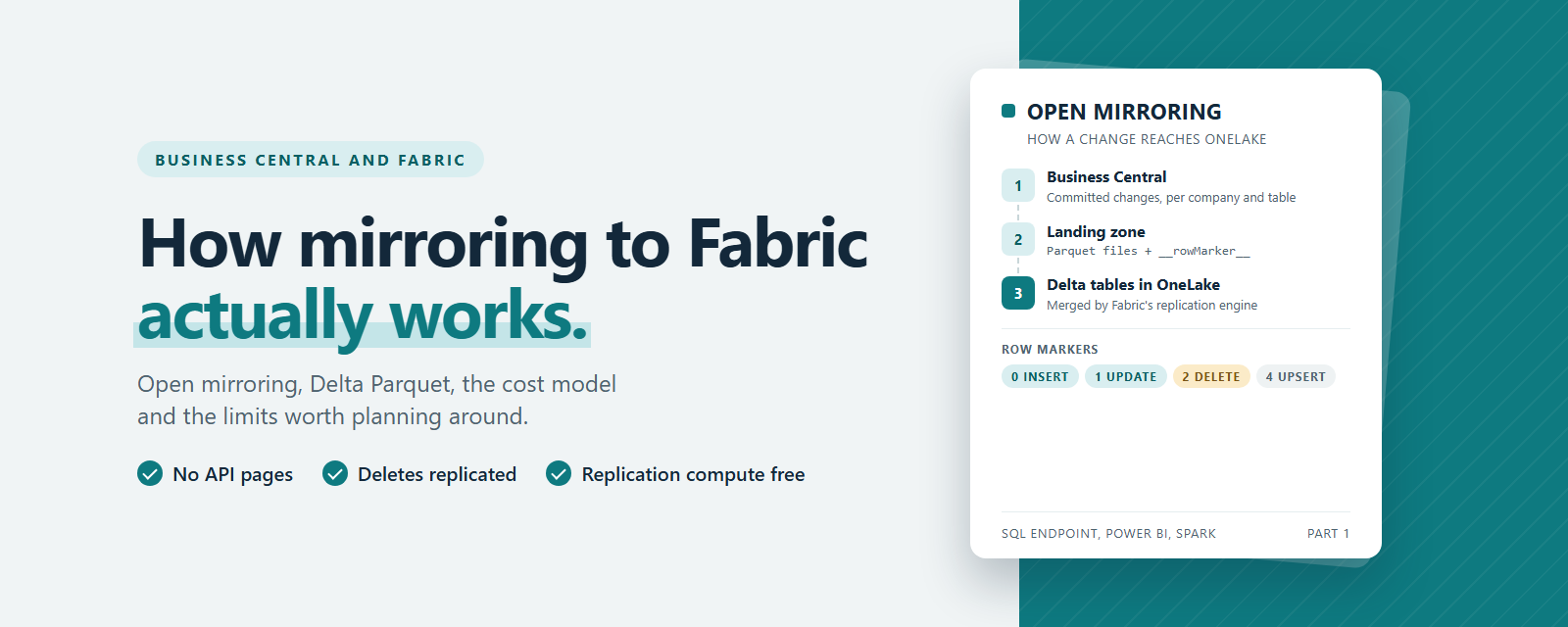
Business Central can now push table data into an open mirrored database in Fabric. You create the mirrored database in a Fabric workspace, give Microsoft’s own Business Central Fabric Export app access to that workspace, point Business Central at it, choose which tables and which companies to synchronise, and start the synchronisation. There is no app registration or client secret of your own to manage. Business Central writes changes to the mirrored database’s landing zone, Fabric’s replication engine merges them into Delta Parquet tables in OneLake, and every Fabric workload can read them from there. No API pages to design, no pipelines to schedule, and no export app to maintain.
Why the old patterns hurt
It is worth naming what this replaces, because the reasons matter when you explain the change to someone else.
API-based extraction competes with your users. Every call goes through the Business Central server tier, counts against the API limits, and has to page through large ledger tables. Getting deletes out is awkward, because a deleted record simply stops appearing.
bc2adls solved a lot of that, and the community owes its maintainers a real debt for it. It still runs as an extension inside Business Central, still schedules exports through the application, and still leaves you to consolidate the deltas on the lake side.
Custom exports are the worst of both. Somebody owns them until that somebody leaves.
The common thread is that Business Central was always the one doing the work, through AL, at the application layer. The native integration moves that work somewhere else.
What open mirroring is
To understand the Business Central side, you need the Fabric side first.
Fabric can bring data into OneLake in three ways, and the easiest way to tell them apart is to ask who does the work.
With database mirroring, Fabric does it. You point Fabric at a source such as Azure SQL Database or Snowflake, it connects, copies the tables across, and then keeps that copy in sync as the source changes. With metadata mirroring, nothing is copied at all. Fabric mirrors only the catalog, meaning the schema and table names, and reads the data where it already lives through shortcuts, which is how Azure Databricks Unity Catalog shows up in Fabric.
Open mirroring turns the first model around. Fabric does not connect to the source at all. Instead, every open mirrored database gets a landing zone, a folder in OneLake with a published file format, and any application that follows that format can drop its own change files into it. Fabric’s replication engine picks those files up, applies the inserts, updates and deletes, and keeps a set of Delta tables current. The source decides what to send and when, and Fabric only has to process what arrives.
The contract for writing into the landing zone is documented and fairly simple:
- Each table gets its own folder under
Files/LandingZone/. - Each table folder holds a
_metadata.jsonfile that declares the key columns. Without keys, updates and deletes are not possible. - Data arrives as Parquet (or delimited text) files with 20-digit sequential names, starting at
00000000000000000001.parquet. - Each row carries a
__rowMarker__column, which must be the last column, telling Fabric what to do with it.
{
  "keyColumns": ["C1", "C2"]
}
The row marker values are where the real behaviour lives:
__rowMarker__ | Meaning | What Fabric does when the key already exists |
|---|---|---|
0 | Insert | Inserts the row, no duplicate check |
1 | Update | Updates the row with the same key |
2 | Delete | Deletes the row with the same key |
4 | Upsert | Updates the row with the same key |
Fabric’s replication engine watches the landing zone, applies the changes in file order, and maintains Delta tables. Each open mirrored database also gets a read-only SQL analytics endpoint, so you can query those Delta tables with T-SQL as if they were ordinary SQL tables. Under the hood they are Delta Parquet files in OneLake. The endpoint hides that from you.
Here is the part that matters for Business Central people. Open mirroring is a general Fabric feature that partners like Oracle GoldenGate and MongoDB already write into. Business Central is now another writer. Microsoft did not invent a Business Central-only pipe. It built a Business Central publisher for a Fabric contract that already exists and is already documented.
Where Business Central fits
On the Business Central side, the integration is an app from Microsoft, Business Central Mirroring to Fabric, that handles the connection setup, the table and company selection, and the monitoring. The app asks the Business Central platform to do the export, so the data movement itself does not run through AL.
Here is what the integration does, based on what Microsoft showed in the Launch Edition session and what I have validated since:
- Changes are tracked below the application. Microsoft explained in the Launch Edition session that the sync reads the change log in the SQL database, so only committed records are sent and the Business Central server tier is not involved. On Learn, progress shows up as change-tracking watermarks for each company and table.
- API limits are untouched. Because replication does not go through API pages, it does not consume your API quota or compete with integrations that do. The app does have monitoring APIs, and calls to those still count, but they only report on runs and never carry your business data.
- Deletes are replicated. This is the one I care about most. Half the reconciliation pain in every API-based lake I have seen came from records that disappeared at the source and lived on at the destination.
- You select tables and companies, not fields. Whole tables are replicated. More on why that matters below.
- Eligible tables are in scope, including tables from extensions. The lookup filters out external, linked and virtual tables, plus some internal tables that hold sensitive data. Microsoft’s own phrasing in the session was that the tables arrive “as they look as seen from AL”.
- Latency is measured in minutes. A setting called Minutes Between Exports controls the interval, and it defaulted to five on my sandbox. The first historical load takes longer, and my first run of four tables took about six minutes end to end.
Put together, the flow looks like this:
Business Central database (SQL)
   │  committed changes, read below the server tier
   ▼
Business Central Fabric publisher
   │  Parquet files + row markers
   ▼
OneLake landing zone (open mirrored database)
   │  Fabric replication engine merges inserts, updates, deletes
   ▼
Delta Parquet tables in OneLake
   ├─▶ SQL analytics endpoint (T-SQL, views, procedures)
   ├─▶ Power BI semantic models (including Direct Lake)
   └─▶ Spark notebooks, Data Factory, warehouses, everything else in Fabric
Business Central stays the system of action. Fabric becomes the system of insight. For the first time the connection between the two is something Microsoft owns rather than something every partner rebuilds.
What it costs
This is the first question every customer asks, so it deserves a straight answer.
On the Business Central side, there is no additional licence or consumption charge for the integration.
On the Fabric side, the mirroring cost model is documented on Learn:
- A running Fabric capacity is required. If the capacity is paused or deleted, no data is replicated.
- The background compute used to replicate data into OneLake is free and does not consume capacity units.
- Mirroring storage is free up to one terabyte per capacity unit. An F2 gives you 2 TB of free mirroring storage, an F64 gives you 64 TB.
- Querying the mirrored data with SQL, Power BI or Spark is charged at normal capacity rates.
- When the capacity is paused, you pay standard OneLake storage for the mirrored data.
An F2 is a realistic starting point for most Business Central customers. That matches my instinct for a mid-market tenant, but I would size it against the reporting workload, not the replication. The replication is free. The people querying it are not.
The constraints to know before you plan
None of these are deal-breakers. All of them are the kind of thing that is easy to miss until it bites.
It is still a preview. Microsoft labels it a production-ready preview, which means it is built for real use but supplemental terms of use apply. Treat the page names and some of the behaviour as subject to change until general availability, and agree with the customer what preview means before a production go-live.
Same tenant. The Business Central environment and the Fabric workspace must sit in the same Microsoft Entra tenant. If a customer’s Fabric estate lives in a separate tenant, that conversation needs to happen early.
Whole tables, every eligible field. You cannot exclude fields. If you mirror the Employee table, or a vendor bank account table, every eligible field in it lands in OneLake. Learn also notes that fields go through the app’s own validation, so do not assume every AL field comes across either. That moves the governance question from “what do we export” to “who can see the workspace”. I come back to this in Part 2.
A table cap. You can select up to 1,000 tables, counted across manual selections and configuration packages. That is a lot of Business Central tables for analytics, but if an ISV-heavy customer wants “everything”, plan the selection before you commit.
Schema changes follow open mirroring rules. Open mirroring handles added columns without fuss, so a new field from an extension should simply appear. A changed data type is a breaking change in open mirroring and requires the table to be rebuilt. If a table needs a clean start, Reset table asks for a full snapshot of that one table on the next run. Learn is clear that this does not repair an incompatible destination schema by itself, so I would still test an extension upgrade that changes a field type before you trust it in production.
Short default retention. Mirrored databases created after mid-June 2025 default to one day of Delta retention. If you were hoping to use Delta time travel on the mirrored tables, raise the retention in the mirrored database settings.
What this means for bc2adls
Microsoft said in the Launch Edition session that the native integration becomes the recommended way to get Business Central data into Fabric, and that bc2adls moves into maintenance mode: no new features, and maintenance on AppSource for a couple more releases (until around version 30 or 31). If you are on version 29, test the native integration and move over gradually. Work is also under way on ways to help migrate both the table configuration and the Fabric-side solution.
If you run bc2adls today, nothing breaks tomorrow. But this is the moment to plan the move rather than extend the old setup.
Where to read more
- Data mirroring to Microsoft Fabric from Business Central, the Business Central overview
- FAQ about mirroring Business Central data to Microsoft Fabric, including limits and eligible tables
- Mirroring in Microsoft Fabric, including the cost model
- Open mirroring overview
- Open mirroring landing zone requirements and formats
- Open mirroring best practices, including schema change behaviour
- The Business Central Launch Edition sessions at aka.ms/BCLE
The hands-on walkthrough builds it: the Fabric workspace, the mirrored database, the service principal, the connection from Business Central, and the first tables arriving in OneLake. Part 2 covers running it once the data lands.
If you have been holding off on a Fabric conversation with a customer because the data plumbing was the hard part, this is the moment to restart it.