-
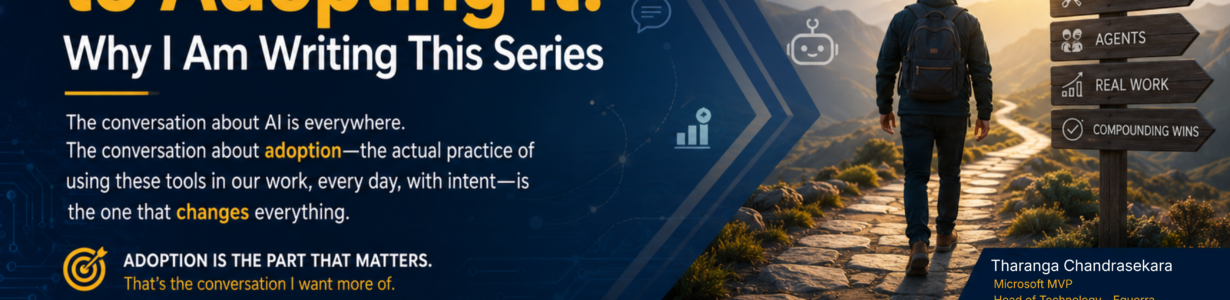
From Talking About AI to Adopting It: Why I Am Writing This Series
There is something the AI conversation keeps skipping over. We talk about the concept. We talk about the tech. We talk about the models, the agents, the launches, the demos, the framing slides at every keynote. There is no shortage of words. What is in short supply is the much quieter conversation about adoption. The…
-

Directions Asia 2026: Two Sessions, Four Standouts, and a Shift in How I Think About Our Craft
I just got back from Directions Asia 2026 in Ho Chi Minh City, Vietnam, and I am still processing how much happened in those few days. I had the privilege of presenting two sessions, sat in on some genuinely brilliant talks from people I respect, caught up with old colleagues, and walked away with a…
-

OData Deprecation in Business Central: What Your Integration Architecture Needs Right Now
Microsoft is removing OData support for first-party pages in Business Central v30 (2027 Wave 1), and SOAP endpoints disappear even sooner in v29. If your integrations rely on exposing UI pages as web services, the migration clock is already running. This post walks through the full deprecation timeline, explains why swapping URLs is only 20%…
-

The Long Road Toward a New Beginning
There comes a point in every career where experience quietly changes shape. It stops being about learning new tools or delivering the next project and starts becoming something more personal. How you want to work. What you want to build. The kind of impact you want to leave behind. After fifteen years across multiple companies,…
-

Directions EMEA 2025 – Reflections, Insights, and the Dawn of a New Era for Business Central
For me, Directions EMEA always begins long before the first sessions start. It begins with the long-haul travel, the endless airport corridors, the confused time zones, and the inevitable jetlag that becomes a yearly companion. Since 2018, this has been my routine, exhausting, unpredictable, and yet somehow comforting in its familiarity. But every year, without…
-

From BC TechDays to the Heart of Business Central
What a whirlwind! Just seven days ago, I was on stage in Antwerp, and before the applause faded, I was already airborne to Denmark to huddle with the Business Central product group. (Stay tuned – those behind-the-scenes conversations deserve their post.) Today, though, I want to capture the magic of BC TechDays 2025 – the…
-
Directions Asia 2025: People, Power, Progress
As I flew back from Directions Asia 2025 this morning, I felt inspired to jot down my thoughts during the quieter moments of the flight. My wife and daughter quickly drifted off, likely exhausted from our exciting nights filled with vibrant parties and adventures in the lively city of Bangkok. It was a joy to…
-
Directions ASIA 2025 – Join Us in Bangkok!
I’m excited to announce that I will speak at Directions ASIA 2025 alongside Steve Gichure. This year, the event expands to three full days of learning, networking, and innovation, and we can’t wait to be a part of it. 💙 This event is also extra special because my wife, Shanika Ranathunga, plans to join me!…
-
Simplify Per-Tenant Extension Management in Dynamics 365 Business Central
The new functionality available in the admin centre has simplified the management of per-tenant extensions (PTE). Administrators can now oversee PTES directly from the Business Central Admin Centre and its API, similar to how AppSource apps are managed. This enhancement reduces administrative overhead by removing the need for individual access to each environment, facilitating…
-
Search, navigate and use app symbols as context for GitHub Copilot
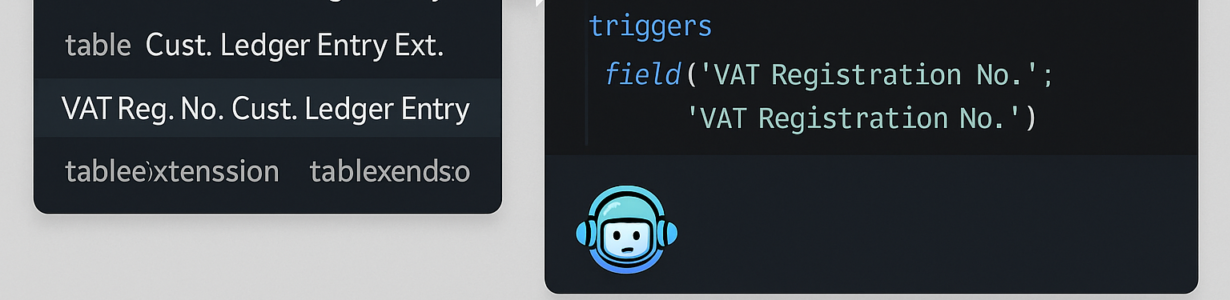
Working with large AL codebases and multiple dependencies can often make locating specific objects or references difficult. With the latest updates, we can expect significant improvements! Search Downloaded Symbols with Ctrl+T It is now possible to search AL objects from downloaded symbol packages directly in Visual Studio Code using the ‘Open Symbol by Name’ (Ctrl+T)…
-

Implicit Conversion Between Record and RecordRef
With recent updates to the AL language extension (v15), Microsoft has introduced support for implicit conversion between Record and RecordRef instances, making it easier to work with both types in the code. This feature removes some of the verbosity previously required when switching between Record and RecordRef variables, allowing developers to write cleaner, more concise…
-
Ternary operator ?: in AL
AL language now supports ternary (conditional) operator. The ternary operator? : known from other programming languages, streamlines conditional operations in code, enhances readability and reduces verbosity. The following examples show how the code GetBooleanText() can be rewritten using the ternary operator to be less verbose and more succint. Without the ternary operator: With the ternary operator…
-
Include Resources in extensions
Good news! Resource files can now be included as part of an extension. This new option enables developers to package essential resources, such as images, configuration settings, and text files, directly with their extensions, ensuring that all necessary components are readily accessible and improving overall performance. To add resources to the extension, the following property…
-
AL now supports the Continue statement
From runtime version 15, it is possible to use the continue keyword in loops to continue to the next iteration. (Please make sure that your “AL Language extension for Microsoft Dynamics 365 Business Central” is version 15.0 or above) The continue statement allows skipping the remaining code in a loop’s current iteration and jumping directly into the…
-
Multiline strings: AL now has support for multiline string literals.
AL now support multiline string literals. It will enhance code readability and maintainability, especially when dealing with lengthy text content or complex string literals. Functionality is available with the AL Language Extension version 15.0 I thought, “Oh, we can use this to store the prompts for Copilot or OpenAI.” However, Dmitry suggested that utilising the…
-
AL Extensions, Development, Microsoft Dynamics 365, Microsoft Dynamics Business Central, Tips and Tricks
Do you know you can navigate directly to a symbol of a file in VS Code?
All you need to do is press “Ctrl” + P and type the object name you want to navigate to. Then press @. It will list all the object’s fields, functions, and triggers. You can select the place you want to jump into. Regards,Tharanga Chandrasekara
-
How to Enable Outbound HTTP Requests in the Sandbox
Did you know that outgoing HTTP requests are automatically disabled when a Business Central sandbox is created to prevent unintended calls? To enable outgoing HTTP requests in a sandbox environment, follow these steps:1. Go to the Extension Management page.2. Select the extension making the HTTP request.3. Enable the “Allow HttpClient Requests” option in the extension’s…
-
Do you specify the 𝐑𝐮𝐧𝐓𝐫𝐢𝐠𝐠𝐞𝐫 parameter?
When you call the Insert, Modify, or Delete functions, it is important to specify the 𝐑𝐮𝐧𝐓𝐫𝐢𝐠𝐠𝐞𝐫 parameter. If you do not include this parameter, the compiler assumes you 𝒅𝒐 𝒏𝒐𝒕 𝒘𝒂𝒏𝒕 to run the trigger. 𝑨𝒍𝒘𝒂𝒚𝒔 𝒃𝒆 𝒄𝒍𝒆𝒂𝒓 𝒂𝒃𝒐𝒖𝒕 𝒚𝒐𝒖𝒓 𝒊𝒏𝒕𝒆𝒏𝒕𝒊𝒐𝒏𝒔. For example:If you do not want to run the trigger, use:Record.Modify(𝐟𝐚𝐥𝐬𝐞); Avoid using:Record.Modify(); If…
-

Are you looking for an Action image browser in BC?
AL developers for Microsoft Business Central need to browse the Business Central image gallery to select meaningful images. This allows them to assign these images to new action buttons, enhancing the user interface for better usability. The AZ AL Dev Tools extension simplifies this process by adding new commands that load and display available images…
-

Update sandbox environments to preview versions
It will be possible to update a Microsoft Business Central sandbox environment to the preview version starting with the public preview for 2025 release wave 2.
-
 AL Extensions, Development, Microsoft Dynamics 365, Microsoft Dynamics Business Central, Tips and Tricks
Decluttering Your Enums: How to Show Only What Matters
It is common practice to use existing objects when developing new modules. Microsoft Dynamics 365 Business Central offers a wide array of pre-defined enums; however, specific options within these enums may not be relevant to the new module’s requirements. Additionally, there may be instances where it is advisable to restrict users from selecting specific values…
-

Directions Asia 2024
Recap: Presenting at Directions Asia 2024 Conference in Bangkok I recently had the pleasure of presenting at the Directions Asia conference in Bangkok, and I must say, it was an incredibly rewarding experience. If my memory serves correctly, it was my 4th Directions Asia conference. As usual, the event was exceptionally well organised, and everyone…
-
Turn off data analysis mode on pages and queries.
When first introduced, the data analysis mode was available on all list pages, and it did not make sense to have that feature available for all users. From version 23.1, tenant admins and AL developers can turn off the analysis mode on list pages and query objects unsuitable for analytical usage. Below are the two…
-

Automatically update AppSource apps with minor updates.
Before the 2023 release wave 2, Admin users could manually update specific apps through the App Management page in the Business Central admin centre or await a major update for the environment, which will automatically update AppSource applications. What if you don’t want to do it manually or wait for a Major update? Let’s say…
-

The VAT Date is not within the range of allowed VAT dates.
Did it suddenly start to throw the “VAT Date is not within your range of allowed posting dates” error? Nothing to worry about; it is due to a new VAT-related functionality added by Microsoft.
-

New operational limits on scheduled tasks.
The Microsoft Business Central version 23.3 completes the final segments of the new job queue tasks capabilities. With the new release, concurrency limits for scheduled tasks have been changed. Concurrency limit for scheduled tasks You can run as many scheduled tasks as possible if the environment has enough user accounts. However, you should not abuse…
-

VS Code Multi Screens (Floating editor windows)
If you are working with multiple screens, you might have been annoyed with VSCode many times because it does not support multiple screens very much. Sometimes, even on a single screen, you want to rearrange the vscode editor windows but struggle as vscode does not support that either. The great news is that it is…
-

Directions EMEA 2023
This year, Directions EMEA is happening in Lyon, France, from the 1st of November to the 3rd of November. At the time of writing the article, over 2,500 people had already registered for the conference. I will lead two sessions with Stephen, which are related to Business Central integrations. The first session is more about…
-

BCTechDays 2023
I am excited to announce that Vlad and I will be presenting a session on the topic of Future Management for Continuous Delivery at BCTechDays 2023 in Belgium. Our session will focus on the practice of feature management, which leverages feature flags to enable dynamic feature administration and quick changes to feature availability on demand.…
-

Directions ASIA 2023
If you want to connect with other partners, have a front-row seat to learn about the newest releases, share information with other Business Decision-makers, or simply grow together with the Dynamics 365 community, attending Directions ASIA is a no-brainer. Directions4Partners are gathering the Microsoft teams and the best of the industry to come and teach you all the latest information in person, including:…
-
How to create a version 22 Sandbox (latest)
Microsoft allows customers and partners to create version 22 Sandboxes so that partners and customers can start preparing for the next major release. Follow the blogs post to know how to create a new sandbox.
-

Why Dataverse
Microsoft Dataverse provides a flexible and scalable platform for building and managing custom business applications and integrations in the cloud. Its powerful data modelling framework, low-code customization capabilities, and integration with other Microsoft products and services can help companies improve their data management, streamline their business processes, and support better decision-making.
-

User account does NOT have permission to run docker commands
On Windows systems, if you receive a permission error when trying to run Docker commands inside a Windows container, it may be because the user account running the Docker command doesn’t have the necessary permissions to access the Docker daemon.
-

Business Central Performance Profiler
If a business process takes longer than expected, your administrator can use the Performance Profiler page to record a snapshot of the process. While recording, the profiler monitors all of the apps that are involved in the process.
-

Read Data from Dynamics 365 Business Central Replica Database (Data Access Intent) – Part 2
My previous blog post discussed the benefits of using the read-only replica database. You can read it here. I want to share a little bit more about the new option available with Business Central APIs. Microsoft’s dynamics 365 Business Central Wave 2 release (version 19) onwards allows you to specify the Data Access Intent directly…
-

The request was blocked by the runtime to prevent accidental use of production services.
Once you create a Sandbox by copying over a production environment and trying to make HTTP requests, it gets blocked to prevent the use of production services. If you want to enable the requests going through, go to the Extension Management page and select the extension initiating the HTTP request. Go to the settings of…
-

Docker: You cannot sign in due to a technical issue. Contact your system administrator.
Docker: You cannot sign in due to a technical issue. Contact your system administrator. Incorrect URL: http:///BC/SignIn Correct URL: http:///BC/SignIn?tenant=default
-
Read Data from Dynamics 365 Business Central Replica Database (Data Access Intent)
One beautiful thing about Microsoft Dynamics 365 Business Central is that it allows you to have a read-only replica of the Azure SQL database and use that replica database to perform read-only queries to retrieve data. Queries to retrieve data running on the replica database, your main database instance will run smoothly without any performance…
-
 AL Extensions, Azure Integration Services, Azure Security, Development, Integration, Microsoft Dynamics 365, Microsoft Dynamics Business Central, Tips and Tricks
OAuth – Part 05 – Service-to-Service Integration and Task Scheduler
In Basic authentication, we used an actual user to connect to BC, but with the new S2S authentication we are not using an actual user and Scheduled tasks must be created and executed in the context of a licensed user. Therefore API requests cannot schedule a background task. It is simple as that.
-

Microsoft Dynamics 365 Business Central 2022 release wave 1 (BC20) SaaS preview environment is available.
Creating a Microsoft Dynamics 365 Business Central 2022 Wave 1 preview environment is now possible. You need to go to the Admin Center of the Business Central tenant and create a Sandbox and select the version. Make sure to select 20.x.xxxxx.x (Preview) and click Create. To remember, Microsoft will sometimes remove these preview environments without…
-
 Azure Integration Services, Azure Logic Apps, Azure Security, Integration, Microsoft Dynamics 365, Microsoft Dynamics Business Central
OAuth – Part 03 – Logic App, OAuth and Business Central
This is the 3rd blog post of the OAuth series, and I have already completed the numbers 2 and 4. Once I complete this blog post today (Hopefully), I only have one to write. I will try to complete that one also within next week when I find some time during the night. I have…
-
 Azure Integration Services, Azure Security, Integration, Microsoft Dynamics 365, Microsoft Dynamics Business Central, Uncategorized
OAuth – Part 04 – Understanding Service Principal
In my previous blog post, we have gone ahead and registered an application in Azure Active Directory and then create an application account in Business Central. As the last step, we have granted permission from Business Central. In this blog post, I’m trying to briefly explain what we did in little bit more detailed way.